
Education
Master the UGA ELC: Your Digital Classroom at the University of Georgia


Overwhelmed by your first week at UGA? Wondering where you’ll find your syllabus, submit assignments, and connect with your professor? The answer to navigating your digital classroom lies in one place: the UGA ELC. This platform is the heartbeat of your academic life, and learning to use it effectively is key to a successful semester. Let’s dive in and turn you into an ELC power user.
What is the UGA ELC? Your Digital Campus Hub
The eLearning Commons, universally known as the UGA ELC, is the University of Georgia’s official Learning Management System (LMS). Powered by Brightspace from D2L, it’s the central online portal where your courses live. Think of it as your 24/7 digital campus—a place where learning continues long after you’ve left the physical lecture hall.
From first-year students to doctoral candidates and faculty, everyone uses this system. Its primary role is to connect you with your coursework, your instructors, and your classmates.
| User | Primary UGA ELC Use Case |
|---|---|
| Student | Access courses, submit assignments, take exams, check grades |
| Instructor | Post content, create quizzes, communicate with classes, grade work |
| TA/Staff | Assist with grading and course management |
Getting Started and Logging In: Your ELC Launchpad
Accessing your digital classroom is straightforward.
- Navigate to the official login page: elc.uga.edu.
- Enter your MyID and password (the same credentials you use for UGA email and other university services).
- You’ll land on your personalized dashboard, your home base within the UGA ELC.
First-Time User Tip: As soon as you log in, click on your name in the top-right corner and select Account Settings. Here, you can set up your notification preferences. Choosing how you get alerts—via email or text—for new grades, announcements, and assignment deadlines will save you from missing crucial updates.
A Tour of the ELC: Key Features and How to Use Them
Once you’re in, let’s break down what you’re looking at. The interface is designed to be intuitive, but knowing where to find things will boost your confidence.
The Dashboard: Your Academic Command Center
This is the first screen you see. It provides a widget-based overview of all your courses. You’ll see upcoming deadlines, announcement alerts, and a quick link to each of your classes. You can even customize this view to prioritize the courses you want to see first.
Course Content: Finding Your Syllabus and Lessons
Click on any course tile to enter its virtual space. The most important tab here is usually Content. This is where your professor will post the syllabus, lecture notes, slide decks, reading materials, and links to external resources. Professors organize this differently, so take a few minutes to explore the structure at the start of the term.
Assignments and Grades: Submitting Work and Tracking Progress
The Assignments tab is your digital dropbox. Always submit papers, projects, and files here—do not email them to your professor unless instructed otherwise. It’s time-stamped and ensures your work is received.
The Grades tab is where you’ll track your progress. Remember, sometimes professors hide this until all assignments are graded, so don’t panic if you don’t see a score immediately.
Quizzes and Exams: Taking Assessments Online
The Quizzes tool is used for everything from weekly check-ins to high-stakes finals. Ensure you have a stable internet connection before starting a timed quiz. Always click Submit at the end to confirm your answers are recorded.
Communication Tools: Email, Discussions, and Announcements
The Announcements widget on your dashboard is critical. Professors use this for class cancellations, deadline changes, and important reminders. Check it daily.
The Classlist tool lets you email your instructor or classmates directly. The Discussions tab acts as a class message board for ongoing conversations.
Beyond the Basics: Pro Tips for Mastering the UGA ELC
Want to go from user to expert? These tips will streamline your workflow.
Mobile Learning: Using the Brightspace Pulse App
Your classroom fits in your pocket. Download the Brightspace Pulse app (available for iOS and Android). It sends push notifications for new grades and announcements and lets you quickly check on course activity without logging into the full website.
Staying Organized: Setting Up Notifications and Calendar Feeds
Go back to your Account Settings. You can choose to get immediate daily digest emails for new activity. Furthermore, you can subscribe to a calendar feed that will push all your UGA ELC assignment due dates and quiz times directly to your Google Calendar or Outlook.
Troubleshooting 101: What to Do When Things Go Wrong
- Can’t log in? Ensure you’re using the correct MyID and password. If you’ve forgotten it, reset it through the UGA MyID site.
- A course is missing? Courses typically become visible on the official first day of classes. If it’s after that date, contact your instructor directly—they control the release of the course.
- Technical glitches? For issues with submitting assignments, quiz errors, or page loading problems, your first step is to try a different browser (Chrome or Firefox are most reliable) and clear your cache. If the problem persists, contact ELC Support.
Conclusion: Your Gateway to Academic Success
The UGA ELC is more than just a website; it’s the central pillar of your learning experience at the University of Georgia. By taking a little time to understand its features and settings, you can reduce stress, stay on top of your workload, and focus on what really matters: learning and succeeding.
Your 3 Tips to Try on the UGA ELC Today:
- Download the Brightspace Pulse app on your phone.
- Bookmark elc.uga.edu in your browser.
- Spend 10 minutes exploring your dashboard and customizing your notification settings.
What’s your favorite—or most frustrating—feature of the ELC? Share your thoughts and pro tips with fellow Bulldogs in the comments below!
You May Also Read: Linda Wilson NYC Dept of Education: The Architect Behind NYC’s School Renaissance
FAQs
How do I log into the UGA ELC?
Go to the official website, elc.uga.edu, and enter your UGA MyID and password.
Why can’t I see my course on the UGA ELC?
Courses are typically made visible to students on the first day of classes. If it’s after that, contact your instructor or TA, as they control the course’s availability.
What is the difference between UGA ELC and Brightspace?
ELC (eLearning Commons) is the name the University of Georgia gives to its learning management system. Brightspace is the name of the software platform (by the company D2L) that powers it. They are essentially the same thing.
Is there a mobile app for the UGA ELC?
Yes! It’s called Brightspace Pulse, and it’s available for free on the iOS App Store and Google Play Store for Android devices.
Who do I contact for technical support with the ELC?
For login or technical issues (e.g., page errors, submission problems), contact ELC Support. For questions about course content, due dates, or grades, always ask your instructor or TA first.
How do I submit an assignment on the ELC?
Navigate to the “Assignments” tool within your specific course, find the correct assignment item, and upload your file. Always click “Submit” and look for a confirmation message.
My grades are missing. What should I do?
Politely follow up with your instructor or TA. They control grade visibility and release within each course.

Technology has opened up exciting new ways to educate children, but it has also raised concerns about safety and content quality. Parents and educators need tools that balance innovation with responsibility. Enter Childmud.net, a learning platform that prioritizes safe, engaging education for kids. This blog explores why safe learning platforms are essential, what Childmud.net offers, and how you can integrate it into your child’s learning environment.
Understanding the Need for Safe and Engaging Learning Platforms for Kids
The internet has become a central part of how children learn and explore. However, without proper guidance, kids can face risks such as inappropriate content, cyberbullying, and excessive screen time. Parents and educators are increasingly seeking platforms that provide:
- Age-appropriate content: Lessons and activities tailored to children’s developmental stages.
- Safe online spaces: Environments where kids can explore without exposure to harmful material.
- Engaging educational tools: Interactive resources that hold attention while delivering valuable lessons.
Childmud.net meets these needs by offering a well-rounded approach to digital learning, focusing on safety and engagement.
Introducing Childmud.net: Features, Purpose, and Vision
Childmud.net is more than an educational website. It’s a community-centered platform where children can learn, grow, and have fun—all while staying safe online. The primary features include:
- Variety of activities: Interactive games, quizzes, and videos that make learning enjoyable.
- Expertly curated content: Designed by educators to align with learning goals and milestones.
- User-friendly interface: Easy navigation suitable for both kids and parents.
- Parental control tools: Features for parents to monitor and guide their child’s activities.
The platform envisions a world where children can explore their potential safely and creatively while being part of a supportive learning community.
How Childmud.net Ensures Safe Learning Environments for Kids
Online safety is the backbone of Childmud.net. The platform employs multiple measures to create a secure learning environment:
Strict Content Moderation
All materials are reviewed to ensure age-appropriateness. Parents can rest easy knowing their children aren’t exposed to unsuitable content.
Privacy Protections
Childmud.net complies with global privacy laws, ensuring that users’ data is secure and never shared without consent.
Customizable Parental Controls
Parents have the power to set screen time limits, block particular content, and monitor activity for more robust oversight.
With these measures, Childmud.net fosters trust and security, encouraging children to learn freely.
The Role of Parents and Educators in Promoting Safe Learning Online
Safe learning doesn’t stop with technology—it’s a collaborative effort between platforms like Childmud.net, parents, and educators. Here’s how you can contribute:
For Parents:
- Monitor usage: Regularly check your child’s activity and progress.
- Set boundaries: Use Childmud.net’s parental controls to manage screen time and content access.
- Engage alongside them: Spend time navigating activities with your child to create a shared learning experience.
For Educators:
- Recommend safe platforms: Point parents toward trustworthy tools like Childmud.net.
- Integrate into lessons: Use Childmud’s interactive resources to enhance classroom learning.
- Provide feedback: Share suggestions with the platform for even better tools and experiences.
Together, these efforts form a supportive circle around children as they explore digital education.
Technology and Learning: Childmud.net’s Innovative Approach
Childmud.net embraces cutting-edge technology to boost learning effectiveness:
- Gamified learning: Activities are designed as games, making education exciting and dynamic.
- Adaptive learning systems: The platform customizes activities to suit a child’s unique learning pace.
- Interactive dashboards: Both kids and parents have access to progress indicators for transparency.
These features combine to create an immersive and personalized educational experience.
Success Stories and Testimonials from Users
Thousands of families and educators rave about Childmud.net. Here’s what they’re saying:
- “Childmud.net has transformed how my daughter learns. She’s always eager to explore their games and quizzes!” – Sarah L., Parent
- “We’ve integrated Childmud.net into our classroom, and the kids love it! The platform makes my job as a teacher easier too!” – Mark D., Educator
- “Safe, fun, and educational—this is exactly what I was looking for in an online learning tool for my kids.” – Emily R., Parent
These testimonials highlight the impact Childmud.net has on young learners and their families.
You May Also Like: Ida Porges Teacher’s Profound Influence on Education
Conclusion
Childmud.net is setting a new standard for online education by combining accessibility, safety, and engagement. With its variety of features and focus on fostering creativity and learning, it’s a platform that both kids and adults can trust.
Take the first step toward a safer, smarter learning experience for your child. Visit Childmud.net today and explore endless possibilities for growth and fun.
FAQs
What makes Childmud.net different from other learning platforms?
Childmud.net focuses on both safety and engagement, offering expertly curated activities, parental controls, and strong privacy protections.
Is Childmud.net free to use?
Yes! The platform offers a range of free activities and premium features available through a subscription.
Can educators use Childmud.net in classrooms?
Absolutely. Childmud.net is designed to complement school curriculums with interactive resources.
How does Childmud.net ensure online safety for kids?
The platform uses strict content moderation, advanced privacy protections, and customizable parental control settings.
Is Childmud.net suitable for all age groups?
Yes, the platform offers activities tailored to various age groups, from preschoolers to young teens.


When it comes to early childhood education, having the right tools can make all the difference in nurturing creativity and learning for young minds. Tinel Building Blocks Preschool tools are a standout choice among educational toys, offering more than just fun. These versatile and colorful blocks play a crucial role in the cognitive, social, and motor skill development of preschoolers.
Designed for engaging play, Tinel Building Blocks are invaluable for parents, preschool teachers, and early childhood educators alike. This article dives into the essential benefits, real-world applications, and practical tips for incorporating them into a child’s learning environment.
The Developmental Benefits of Tinel Building Blocks
Cognitive Development
Tinel Building Blocks are excellent for enhancing problem-solving and spatial reasoning in young children. When preschoolers stack, arrange, or connect these blocks, they learn to:
- Recognize shapes and patterns.
- Solve structural challenges (e.g., balancing blocks in towers).
- Understand spatial concepts, such as size, height, and symmetry.
Research shows that activities like block building lay a foundation for future skills in math and engineering.
Social Development
Collaborative play with Tinel Building Blocks fosters essential communication skills and teamwork. Activities involving multiple children encourage:
- Sharing and taking turns.
- Explaining ideas, such as what to build or how to solve a challenge.
- Cooperation to complete a shared goal, like constructing a shared block structure.
This cooperative play builds strong peer relationships and teaches essential social interaction skills.
Fine Motor Skills
Handling Tinel Building Blocks helps children develop their hand-eye coordination and fine motor precision. Picking up, stacking, or interlocking the blocks:
- Enhances finger dexterity.
- Strengthens grip strength and control.
- Prepares young hands for writing and other detailed activities.
These motor skills are critical in early childhood development and lay a foundation for academic readiness.
Tinel Building Blocks: A Versatile Learning Tool
Types and Sets of Tinel Building Blocks
Tinel Building Blocks come in a variety of shapes, sizes, and themed sets, offering endless possibilities. Some popular sets include:
- Basic Set: Ideal for beginners, featuring traditional shapes and vibrant colors.
- Theme-Based Sets: Incorporate specific themes like animals, vehicles, or letters to support targeted learning.
- Magnetic Blocks: Add complexity by allowing children to experiment with connections using magnets.
This variety makes them adaptable to different learning goals and age groups.
Educational Activities with Tinel Building Blocks
Tinel Building Blocks are more than just toys—they’re genuine learning tools. Here are some examples of how they can be used:
- Math Games: Encourage counting, sorting by color, and pattern creation to introduce numbers and logic.
- STEM Projects: Build simple machines, bridges, or buildings to spark curiosity in engineering.
- Creative Storytelling: Use theme-based blocks for children to create characters and scenes, enhancing imaginative thinking and linguistic skills.
These playful activities make learning engaging and interactive, keeping preschoolers curious and motivated.
Real-World Applications and Success Stories
Case Studies in Preschools
Preschools that have integrated Tinel Building Blocks into their curriculum report significant success. For example:
- A preschool in California used Tinel blocks during group activities, resulting in a 40% improvement in peer collaboration among its students within one term.
- Another school in Texas incorporated Tinel’s letter-themed blocks into early literacy programs, boosting recognition of letters by 25%.
Testimonials from Parents and Educators
Real users speak volumes about the value of Tinel Building Blocks:
- Sarah, Preschool Teacher: “The creativity these blocks spark is unparalleled. They’re now a core part of our classroom.”
- Jon, Parent: “Since we introduced these blocks, my 4-year-old has become more confident in problem-solving and much better at sharing with their sibling.”
Such testimonials underline the positive impact these educational tools consistently deliver.
Guidance for Parents and Educators
Selecting the Right Set
Choosing the right blocks depends on the child’s age and developmental needs:
- For Toddlers (Ages 1-3): Opt for larger, easy-to-grip blocks to ensure safety and simple enjoyment.
- For Preschoolers (Ages 3-5): Choose versatile sets with a mix of shapes and connectors to stimulate creative play.
- Specific Learning Goals: Select themed or advanced sets for focused learning, such as numeracy, literacy, or STEM.
Using Tinel Building Blocks for Learning
Maximize their benefits with these tips:
- Create a Learning Nook: Set up a dedicated play corner with ample space for creativity.
- Support Structured Play: Guide activities aligned with educational goals, such as building letters or solving puzzles.
- Encourage Free Play: Allow unstructured time for children to explore and innovate on their own.
- Document Progress: Track milestones, such as building complexity or better teamwork, to celebrate growth.
Whether used at home or school, Tinel Building Blocks are a gateway to well-rounded learning experiences.
Why Early Learning Deserves Tinel Building Blocks
By combining cognitive challenges, social opportunities, and motor skill development, Tinel Building Blocks establish the foundation for lifelong learning. Their versatility and educational value make them a must-have tool for both parents and educators striving to inspire young minds.
Why not explore the possibilities today? Investing in Tinel Building Blocks can transform your child’s or students’ early learning experience, unlocking their potential one block at a time.
Conclusion
Tinel Building Blocks are more than just toys; they are an essential resource for shaping the future of young learners. By fostering creativity, critical thinking, and collaboration, they empower children to develop vital skills that will serve them for a lifetime. Whether you are a parent seeking to nurture your child’s growth or an educator aiming to enhance classroom engagement, Tinel Building Blocks provide an unparalleled opportunity to make a meaningful impact. Start building a brighter future today—one block at a time.
FAQs
1. What age group is best suited for Tinel Building Blocks?
Tinel Building Blocks are ideal for children aged 1 to 5, with larger blocks for toddlers and more versatile sets for preschoolers.
2. Are Tinel Building Blocks safe for young children?
Yes, all Tinel Building Blocks are made from non-toxic materials and designed with safety in mind.
3. Can Tinel Building Blocks help prepare children for school?
Absolutely! The blocks enhance problem-solving, fine motor skills, and social interaction—all vital for school readiness.
4. How do Tinel Building Blocks compare to other educational toys?
Unlike many toys, Tinel Building Blocks offer a perfect blend of fun, creativity, and structured learning, making them a top choice for child development.

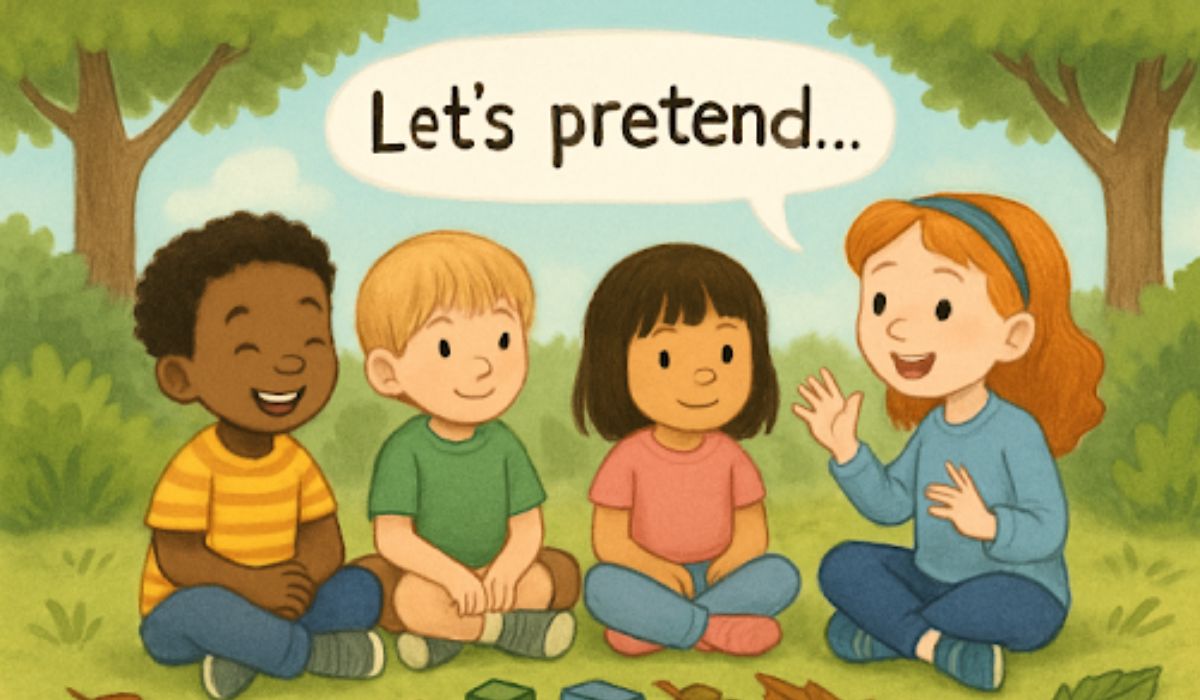
Encouraging creativity in early childhood sets the foundation for lifelong learning and problem-solving skills. Preschool environments that nurture imagination allow children to explore, experiment, and express themselves meaningfully. Through open-ended activities, hands-on experiences, and opportunities for collaborative play, young learners develop critical thinking and self-confidence. These strategies not only enhance cognitive growth but also support emotional and social development, helping children feel empowered to share ideas and embrace curiosity.
Incorporating structured literacy activities alongside creative play can further strengthen early learning. Programs such as children reading programs Calabasas CA, provide guided opportunities for children to engage with stories, develop vocabulary, and build comprehension skills while still encouraging imaginative thinking. By blending play-based approaches with intentional reading experiences, educators create a rich, dynamic learning environment that cultivates creativity and foundational literacy, ensuring children are well-prepared for future academic success.
Outdoor Classrooms: Nature as a Catalyst for Creativity
Spending time outside boosts attention, lowers stress, and encourages children to imagine and explore freely. Schools like Philadelphia’s Schuylkill Center for Environmental Education have championed nature-based learning, giving children the freedom to play with sticks, stones, and leaves while dreaming up games and stories. This open-ended approach helps children develop flexible thinking and strong problem-solving abilities.
Simple activities outside, such as scavenger hunts or drawing with found objects, increase children’s curiosity and appreciation for the natural world. The constant changes in weather, light, and seasons encourage children to adapt, invent new games, and notice subtle patterns. Even for schools with limited outdoor space, bringing nature indoors with plants, natural objects, and daily nature-inspired discussions can yield substantial benefits.
Interactive Storytelling Frameworks
Oral storytelling has long been a foundation of early education, but interactive digital platforms expand its vocabulary and collaborative possibilities. Tinker Tales, an innovative educational framework, blends traditional narrative with simple AI elements to make stories participatory and dynamic for preschoolers, improving both literacy and creative growth. These storytelling models nurture empathy, language acquisition, and critical thinking, as children co-create stories or explore different perspectives in a safe setting.
Children can help shape characters, invent plot twists, and resolve conflicts together, which makes stories more engaging. Educators may also use puppetry, music, and drawing to invite every child into the storytelling process. This multisensory approach encourages risk-taking with ideas and fosters a culture of collaboration and creativity.
AI-Infused Educational Tools
AI-powered learning platforms, such as AnimAlte, deliver personalized, interactive cartoon experiences that engage preschoolers while supporting vocabulary growth and early reading skills. These smart tools adjust content in real time according to each child’s progress and interests, making learning more relevant and enjoyable. For parents and teachers, these applications provide actionable feedback and suggested activities to reinforce skills at home, promoting a strong school-family connection.
The integration of educational AI is not just about technology; it is about enhancing human connections and inspiration in the classroom.
READ ALSO: RemixPapa Study: The New Blueprint for Fast-Track Learning
Designing “Yes” Spaces for Autonomous Exploration
Safe, enclosed “yes” spaces are designed to enable unrestricted exploration. When children are free to climb, sort, build, or invent within a thoughtfully prepared area, they become active drivers of their own learning. Such autonomy is tied to increased self-esteem, greater persistence in tackling new challenges, and higher-order creative thinking.
Equipping these spaces with open-ended materials such as blocks, art supplies, and loose parts gives children choices and agency. According to researchers featured by Zero to Three, autonomy-supportive environments from infancy through preschool nurture problem-solving skills and support future academic achievement.
Incorporating Rituals of Awe and Gratitude
Small, consistent rituals can spark a sense of wonder and gratitude, helping children notice beauty and connection in day-to-day moments. Morning circle times that include stretching, pausing to express thanks, or marveling at a flower’s color encourage mindfulness and a sense of inner calm. These practices have been shown to reduce stress responses and boost prosocial behaviors, like cooperation and kindness.
Even brief gratitude rituals at snack time or before heading outdoors anchor the classroom community and set a positive, exploratory tone for the rest of the day. As preschoolers practice recognizing positive emotions, they grow more resilient and equipped to approach creative tasks with openness and joy.
Conclusion
Empowering children’s creativity in preschool settings is possible through thoughtful integration of nature, collaborative storytelling, adaptive technology, autonomy-affirming spaces, and mindfulness rituals. Educators and families can use these strategies to lay foundations for lifelong learning, innovation, and emotional wellness. Dynamic learning environments, inside or outside the classroom, invite every child to develop their creative strengths and to flourish, both now and in years to come.
YOU MAY ALSO LIKE: Lifelong Learning: A Pathway to Career Advancement and Personal Fulfillment

Relocating to Naples, Florida: A Comprehensive Guide

Lessons in Leadership: Learning from the Automotive Industry’s Visionary Innovators

Top 5 Met Tower Installation Companies in 2026: Ensuring Accurate Wind Resource Assessment

The Ultimate Guide to Group Transportation Solutions

NBA 2K22 Clippers Dorna Enhances Realism
-

 Home Improvement2 years ago
Easy Ways to Clean and Maintain Your Foam Play Mat
-

 Celebrity2 years ago
Who Is Andrew Santino Wife? The Full Story
-

 Tech2 years ago
Explore iZoneMedia360 .Com Features & Benefits
-

 Entertainment2 years ago
Remembering Melanie Olmstead Yellowstone’s Unsung Hero
-

 Uncategorized2 years ago
Prairie Dog Guide: Habitat, Behavior, and Conservation
-

 Celebrity2 years ago
A Deep Dive into Jeremy Allen White Movies and TV Shows
-

 Business2 years ago
How Influencersginewuld Shapes the Future of Branding
-

 Apps & Games2 years ago
The Pizza Edition Games: A Perfect Slice of Fun and Flavor